
How to Make a Mouse Pad: A Simple DIY Guide
Table of Contents
ToggleHow To Make a Mouse Pad?
Making your own personalized mouse pads is a straightforward project that costs very little and takes under an hour. Whether you want a custom design, a specific size, or just a quick fix, a homemade mouse pad, mousepad, or desk mat can do the job just as well as a store-bought one. This guide covers what a mouse pad does, what you need to make one, and where to get a professionally printed version when the DIY route is not the right fit.
What Is a Mouse Pad?
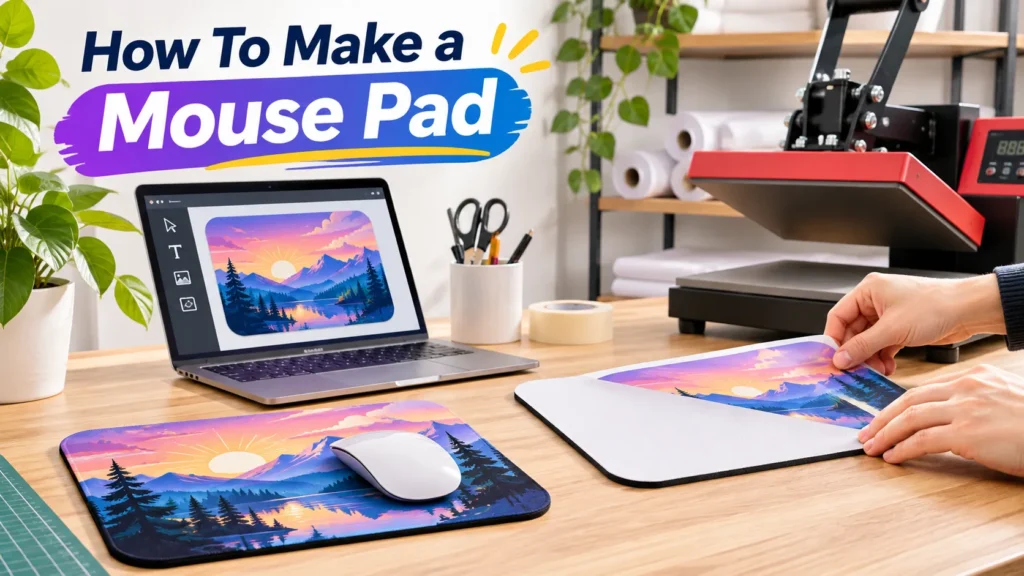
A mouse pad is a flat surface placed under a computer mouse to improve tracking and protect the desk below. The term dates to 1983, and modern versions are typically made from low-density rubber with fabric bonded to the top. The rubber base grips the desk, and the fabric surface gives the mouse sensor a consistent texture to read.
Mouse pads come in standard desk sizes and extended formats that cover the full width of a workstation, holding both a keyboard and a mouse in one place.
What Do Mouse Pads Do?
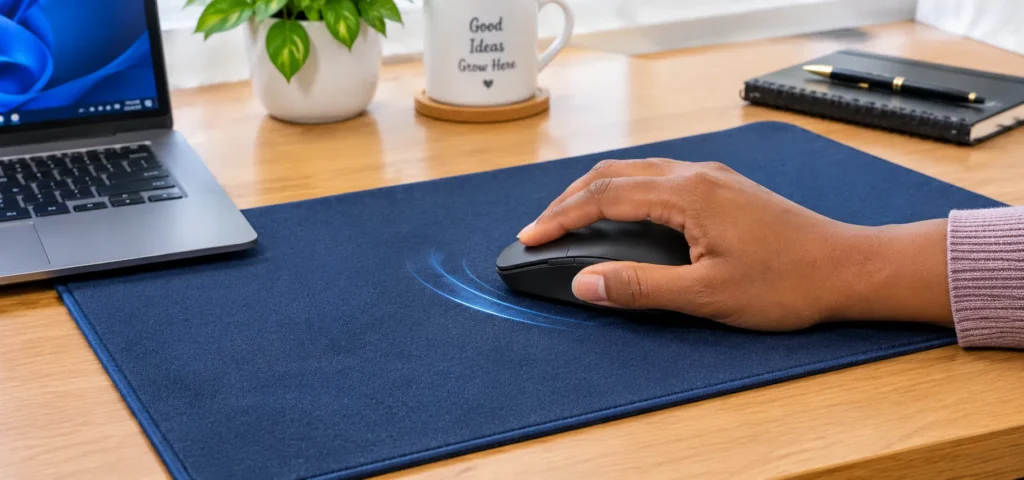
A mouse pad gives your mouse a reliable surface to track across. Without one, an optical mouse can stutter on reflective, glass, or uneven surfaces. A pad eliminates that problem by providing a predictable texture the sensor can read consistently.
Beyond tracking, a mouse pad protects the desk from the repeated friction of daily mouse movement. It also reduces wear on the mouse feet, which extends the life of the mouse itself. Extended desk mats go a step further by keeping the keyboard anchored alongside the mouse, which reduces surface clutter.
Our custom mouse pads are available as a single piece, making them a practical option for individual desks, team setups, or branded giveaways.
Are Mouse Pads Necessary?
For most setups, yes. Optical mice need a surface the sensor can read without interruption. On a bare glass desk or a shiny lacquered surface, tracking becomes unreliable. A mouse pad fixes that immediately.
For everyday office use, any flat, matte surface technically works. But a proper pad offers the added benefits of desk protection, wrist comfort, and a cleaner, more organized workspace. For professionals, designers, or anyone who spends long hours at a computer, a dedicated pad is worth having.
How to Make Your Own Mouse Pad?
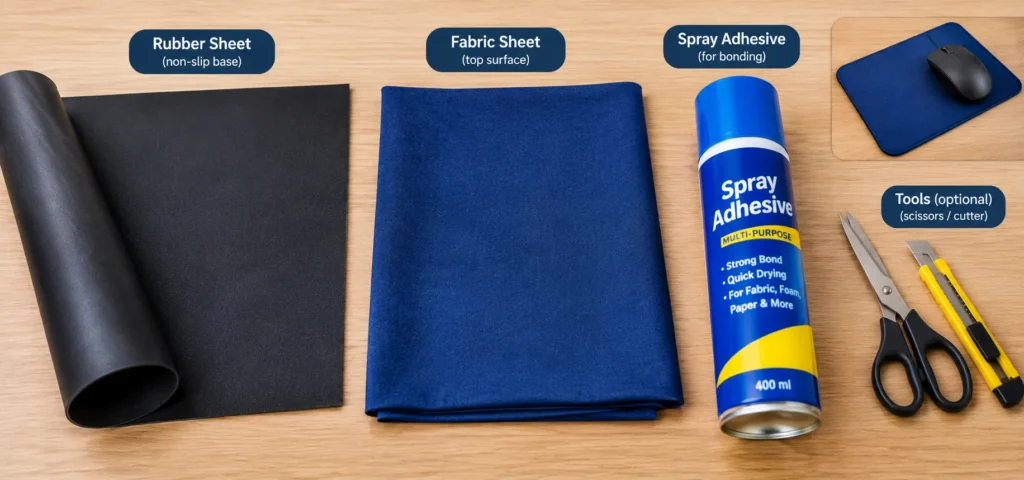
This method produces a cloth-over-rubber pad that functions like a commercial one. You will need a natural rubber sheet 3 to 4 mm thick, tightly woven microfiber or polyester fabric, high-strength spray adhesive formulated for fabric and rubber, a sharp utility knife, a metal ruler, and a roller or smooth bottle for pressing out bubbles.
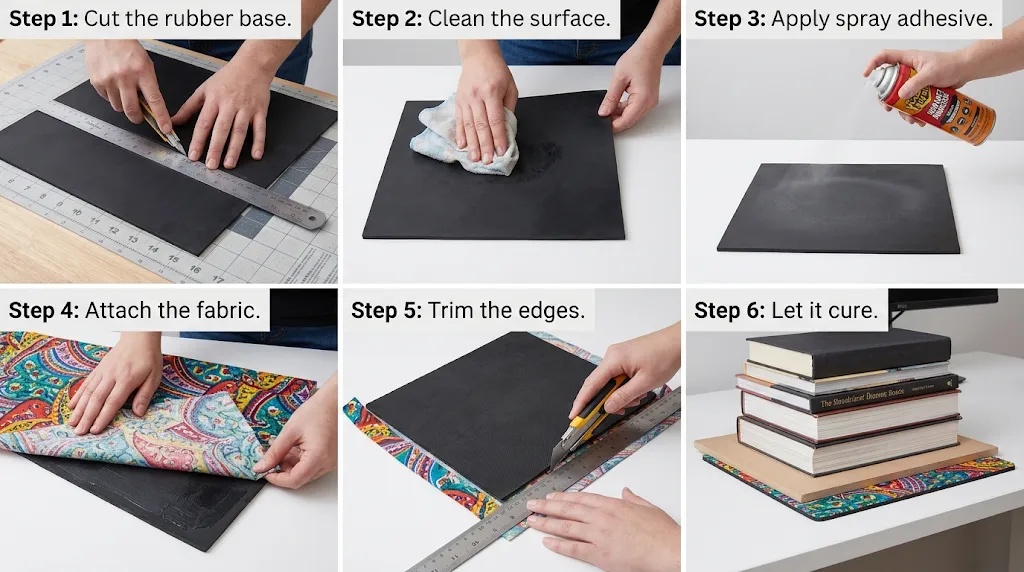
Step 1: Cut the rubber base.
Use the metal ruler and utility knife to cut the rubber to your desired size. A standard pad is roughly 9 by 11 inches. Replace the blade often for clean, straight edges.
Step 2: Clean the surface.
Wipe the rubber with a damp cloth to remove dust and oils. Let it dry fully before applying adhesive.
Step 3: Apply spray adhesive.
Hold the can about 10 inches from the surface and apply a thin, even coat across the rubber, covering the edges. Follow the drying time on the can before attaching the fabric.
Step 4: Attach the fabric.
Lay the fabric from one end to the other, pressing gently as you go. Smooth it outward from the center with a roller to remove air pockets, and keep the fabric taut to avoid bunching.
Step 5: Trim the edges.
Once the adhesive has set, flip the pad and trim any overhanging fabric with the utility knife and ruler.
Step 6: Let it cure.
Set the pad flat and leave it for several hours. Place something flat and heavy on top to keep the edges from lifting as the bond sets.
For a simpler version, a cork board cut to size and decorated with acrylic paint works as a functional pad for casual use. One standard cork board makes two finished pads.
A homemade pad works well enough for occasional use, but it will not match the surface consistency, stitched edges, or print durability of a professionally manufactured one.
What to Use Instead of a Mouse Pad?
If you need a quick substitute, a sheet of paper, a hardcover book, or a flat piece of cardboard will work for basic tracking. We cover the full list of household alternatives in our guide on [What Can Be Used As A Mouse Pad?].
What Size Mouse Pad Do I Need?
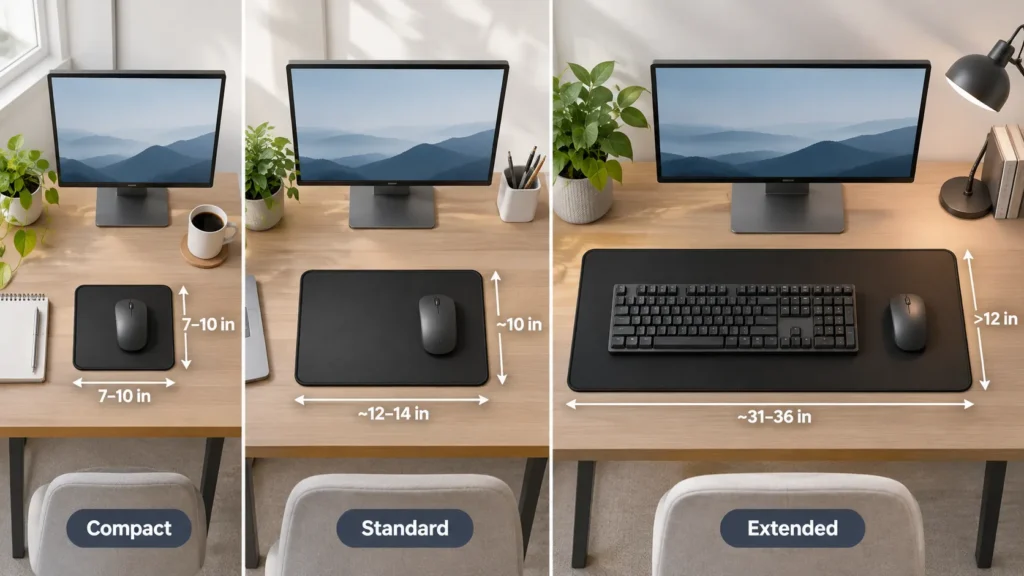
Size comes down to your desk space and how you work. A compact pad in the 7 to 10 inch range suits a small desk or a setup where space is tight. A standard mid-size pad handles most everyday office use comfortably.
An extended mat, anything over 12 inches wide, covers both the mouse and keyboard zone in one surface, which works well for larger desks, shared workspaces, and anyone who moves their mouse across a wide area.
When in doubt, measure your available desk space before ordering.
Where to Buy a Mouse Pad?
At FastPrintStar, our custom printed mouse pad uses transfer printing to bond your design directly into the fabric. Colors stay sharp through repeated cleaning and daily use. It comes with a non-slip rubber base, stitched edges, and a textile-weave surface in four sizes up to 10 by 12 inches.

For full desk coverage, our custom large mouse pad runs up to 16 by 35.5 inches with a water-repellent surface and 360-degree anti-fray stitching. Both are available from one piece with no minimum order. Upload your artwork, receive a free digital proof within 12 hours, and request a sample before placing a larger order.
They also work well alongside other desk essentials from our custom corporate products range. Use code Star10 at checkout for 10% off.