
What Can Be Used As a Mouse Pad?
Table of Contents
ToggleWhat Can Be Used As a Mouse Pad?
Whether you work from a home office, a corporate suite, or a shared workspace, the mouse pad is one of those items you never think about until it’s gone. Most people grab whatever is nearby and get back to work.
But the right surface makes a real difference, and a custom-printed option does even more. This guide covers what a mouse pad actually does, whether you need one, what you can use in a pinch, and where to buy custom mouse pads that last.
What Does a Mouse Pad Do?

A mouse pad gives your mouse a consistent, smooth surface to track across. That sounds simple, but the surface underneath your mouse affects precision, comfort, and even how long your mouse lasts.
Modern optical and laser mice use a sensor that reads the surface below them hundreds of times per second. On a bare desk, especially one that is glossy or uneven, the sensor can stutter or skip.
Beyond tracking, a mouse pad does a few more useful things:
- Protects your desk.Dragging a mouse repeatedly across a wooden or lacquered surface leaves marks over time.
- Reduces wrist fatigue.Cushioned or wrist-rest pads soften the contact between your hand and the desk during long sessions.
- Keeps things in place. A large desk mat anchors your keyboard and mouse together, so neither slides around while you work.
Is a Mouse Pad Necessary?
Strictly speaking, no, but it depends on your setup.
Laser mice can track on almost any surface, including glass. Optical mice need a little more help. On reflective or very dark surfaces, an optical mouse can lose its signal entirely. If your desk is glass, a mouse pad is not optional; it is required.
Beyond function, a smooth, gap-free surface helps high-performance mice deliver consistent movement, especially at high speeds. For everyday office use, a plain surface usually works. For gaming, design work, or anything where precision matters, a dedicated mat is worth having.
Mouse pads also pair well with other custom corporate products like badge reels, badge holders, and custom lanyards. This makes them a natural addition to any branded office kit or conference giveaway.
What Can I Use Instead of a Mouse Pad?
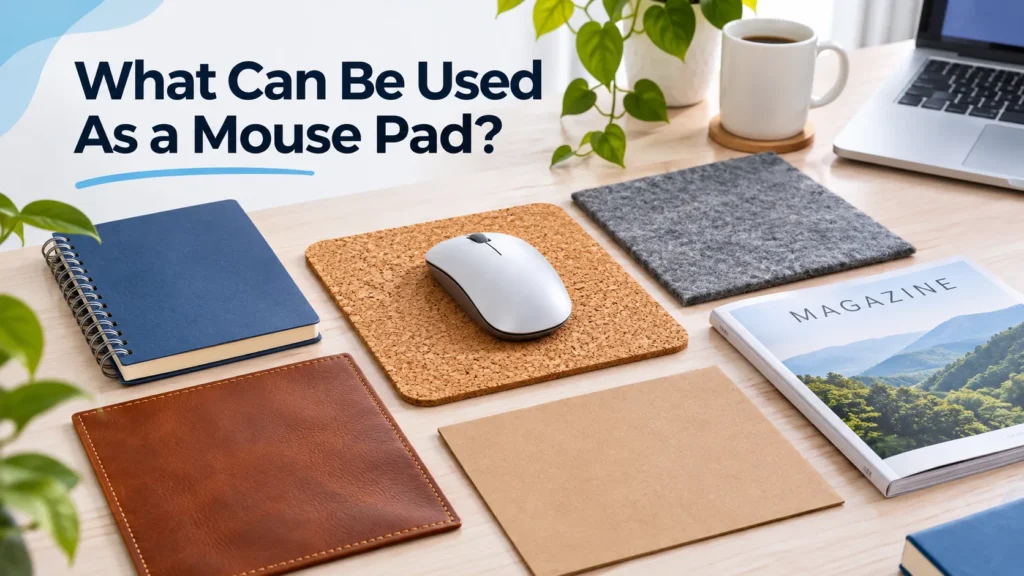
If you are in a pinch, several household items will do the job. The key is finding something flat, matte, and smooth enough for your mouse sensor to read.
A hardcover book
A hardcover book’s back cover provides a firm, stable surface. Matte covers work better than glossy ones. The edges can catch your mouse if you stray too close, but for everyday browsing and typing, it holds up fine.
A piece of cardboard
The inside of a cereal box or a cut piece of corrugated cardboard works well. Corrugated boxes with ridges can cause small jumps, so a flat, single-layer piece is the better choice. Cut it to size, and you have a functional pad for as long as you need.
A placemat or thin cutting mat
A rubber placemat gives you the same non-slip base that a real mouse pad uses. Thin silicone or plastic cutting mats work similarly. These are probably already in your kitchen.
A hard-cover notebook
Similar to a book, a closed spiral or hardback notebook gives a flat, portable surface. Writers and students who work on the go often use these without thinking twice.
Fabric or a folded cloth
A folded piece of fabric a tea towel, a bandana, or a piece of plain cloth gives a softer surface that still tracks reasonably well. Avoid fabrics with patterns raised above the surface, like embroidery, since the bumps interfere with tracking.
A sheet of paper
A plain sheet of copy paper works surprisingly well. It is flat, slightly textured, and gives the sensor a clean surface to read. Stack two sheets for a bit more cushion. The obvious downside is that it shifts around easily.
How Long Does a Mouse Pad Last?
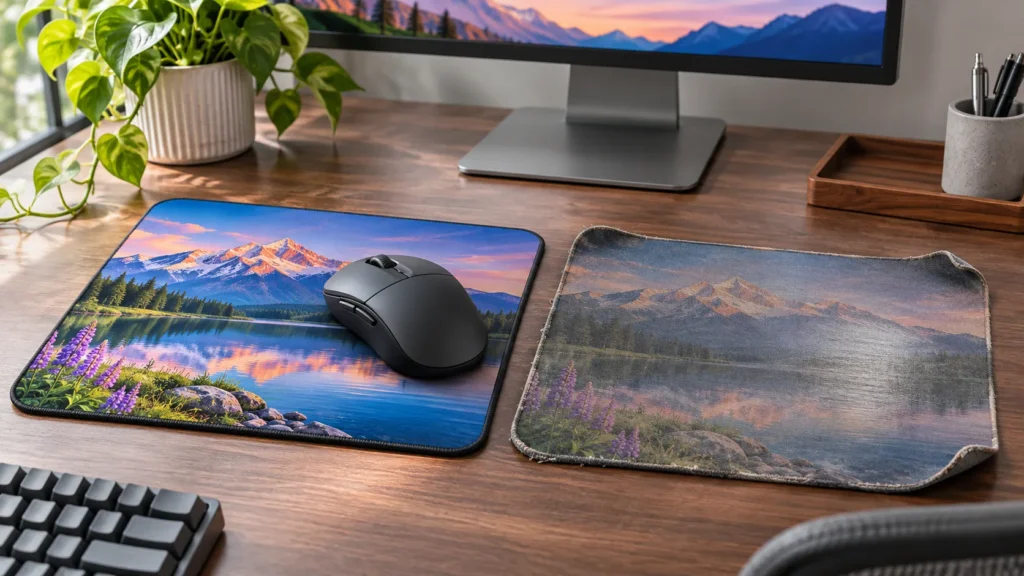
A good custom mouse pad lasts anywhere from one to three years with regular use. The surface fabric is usually the first thing to go, it starts to feel slick, which affects how smoothly your mouse tracks. Other signs it is time for a replacement include curled or fraying edges, a base that no longer grips the desk, and faded or cracked print on custom designs.
Washing it regularly slows that wear down significantly. A pad that is cleaned once a month stays in better condition far longer than one that is never cleaned. For a step-by-step guide, check out another blog post, [How To Clean a Mouse Pad?] to learn the best way to keep your mouse pad clean and extend its lifespan.
Where to Buy Custom Mouse Mats?
If you want a mouse pad that actually represents your brand, a personalized mouse pad is the better investment, and it is easier to order than most people expect.
At FastPrintStar, our custom printed mouse pad uses transfer printing to lock your design directly into the surface. Colors stay vivid after repeated cleaning, and the non-slip rubber base keeps it firmly in place on any desk. Sizes run from 7 × 8.6 inches up to 10 × 12 inches, so you can pick what fits the workspace.
For bigger setups, long desks, gaming stations, or shared workspaces, our custom large mouse pad covers more ground. It comes in three sizes: 12 × 31.5 in, 16 × 29.5 in, and 16 × 35.5 in. The surface uses water-repellent fabric technology so spills bead off, and 360° stitched edges prevent fraying even after daily use.

Both products start from just one piece, with no minimum order, and our team sends a free digital proof within 12 hours of your order. If you want to see the product before committing, request a free sample at any time.
Whether you are ordering for a team, a trade show, or a single desk setup, the process is straightforward. Visit our how to create your order page to get started, or browse the full range at FastPrintStar.