
How To Clean a Mouse Pad: Washing, Drying & Care Tips
Table of Contents
ToggleHow To Clean a Mouse Pad?
A mouse pad picks up more than most people realize, skin oils, crumbs, dust, spilled coffee, and the slow buildup of everyday desk grime. Over time, that residue affects how smoothly your mouse tracks and how the surface feels under your hand. The good news is that cleaning a mouse pad is straightforward, even a personalized mouse pad. It takes less than ten minutes of active effort. Here is everything you need to know.
Can You Wash Mouse Pads?
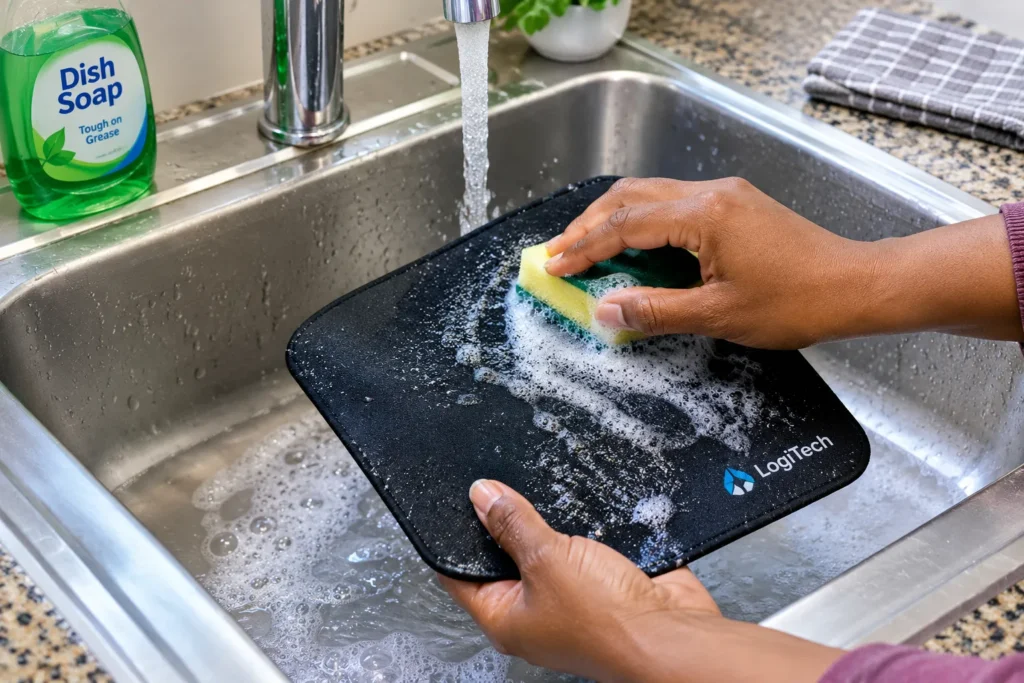
Yes, most cusotm mouse pads can be washed, but the method depends on what the pad is made of. Fabric pads hand-wash well with cold water and mild soap since submersion won’t ruin the rubber backing.
Hard plastic or aluminum pads should never be submerged, simply wipe them down with a damp, soapy cloth, then wipe clean. Wired or RGB pads require extra care: unplug them completely and spot-clean the surface with a barely damp microfiber cloth, letting the pad dry fully before powering back on.
When in doubt, check the manufacturer’s guidance. If none is available, hand washing with cold water and mild soap is the safest approach for any soft pad.
How to Wash a Mouse Pad ?
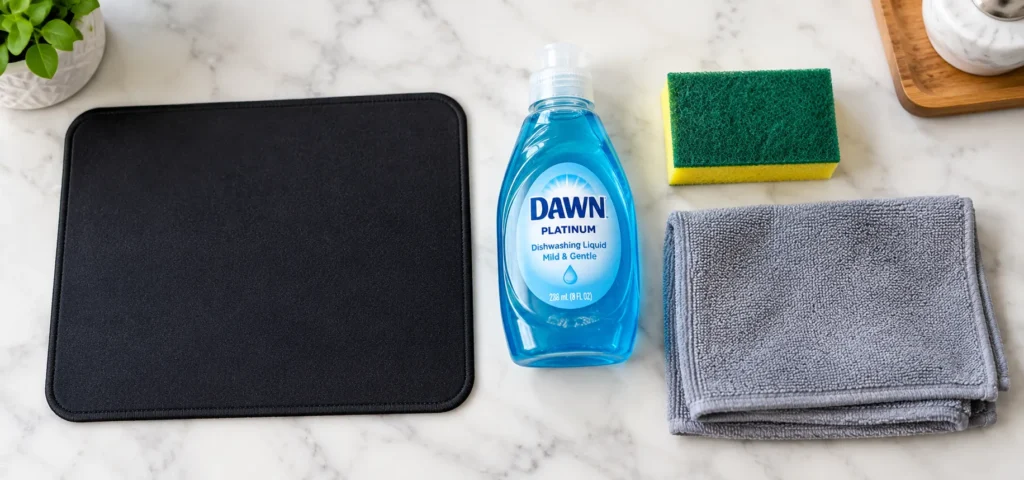
To wash a mouse pad, you will basically need a mild dish soap or hand soap, a soft sponge or cloth, and access to a sink or bathtub.
Step 1: Rinse Cold
Hold the pad flat, without folding or bunching, and run cold water over both sides to wash away surface dust and debris.
Step 2: Apply Mild Soap
Add a few drops of dish or hand soap. Avoid products with bleach or alcohol, which degrade the fabric and rubber backing.
Step 3: Scrub Gently
Use a soft sponge or damp cloth with light, circular strokes. For tough stains like coffee or ink, let the soap sit for 5 to 10 minutes before scrubbing.
Step 4: Rinse Thoroughly
Flush both sides under cold water until all soap is gone. Leftover residue leaves a film that affects mouse tracking and attracts dirt.
Step 5: Press & Air Dry Flat
Gently press the pad between two dry towels to absorb water, then lay it flat in a ventilated area for at least 24 hours. Do not hang it wet, as the weight can stretch the fabric.
Can You Put a Mouse Pad in the Washer?
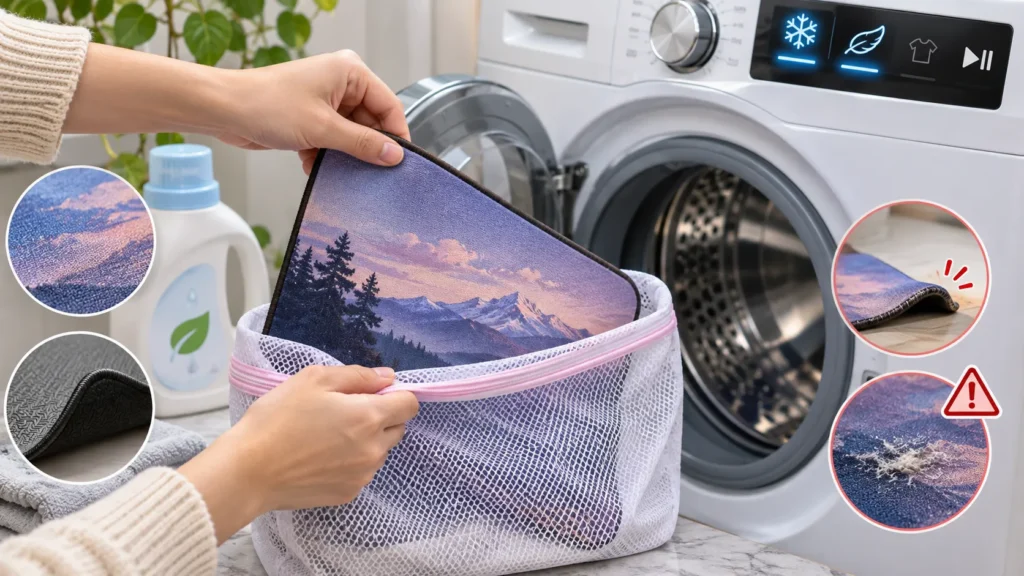
Some soft cloth pads can go in a washing machine, but most manufacturers recommend against it, and for good reason.
Machine washing exposes rubber-backed pads to heat, friction, and harsh spin cycles that can warp the material, causing raised edges that ruin mouse tracking. Custom-printed pads also risk cracking or fading under this mechanical stress.
If you must machine wash a cloth pad, use a laundry bag on the coldest, gentlest cycle with mild, bleach-free detergent. However, hand washing is always the safer, more controlled option.
Can You Put a Mouse Pad in the Dryer?
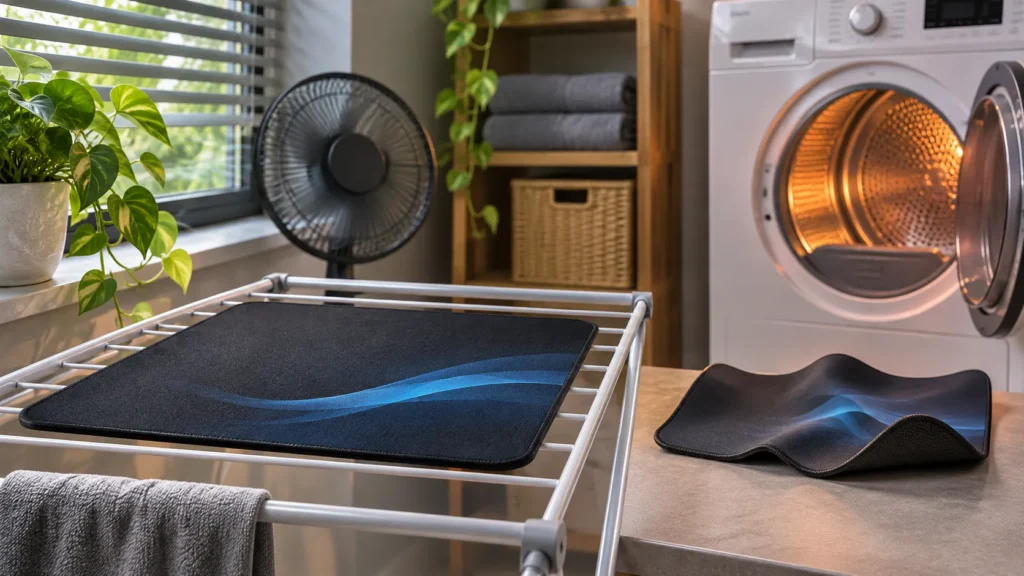
No. Heat is the fastest way to ruin a mouse pad.
The rubber base on most cloth pads has a relatively low heat tolerance. A dryer, even on a low or delicate setting, generates enough heat to warp, shrink, or melt the backing. Once the rubber loses its shape, the pad will not lie flat and the non-slip grip disappears.
The same applies to other heat sources. Do not use a hair dryer directly on the pad, and avoid drying it in direct sunlight, which can fade colors, especially on custom-printed designs. Air drying in a shaded, well-ventilated spot is the only safe method.
How to Clean a Large Mouse Pad?
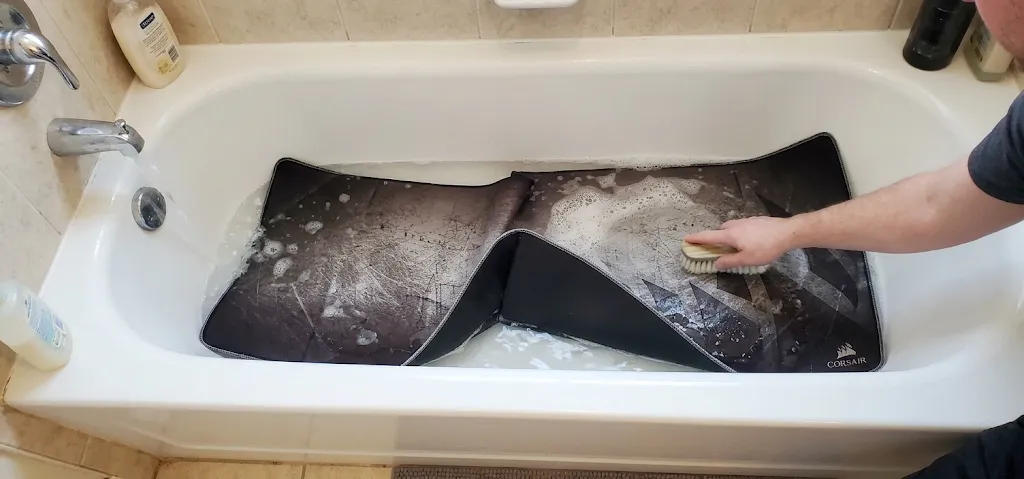
Because oversized desk mats don’t fit in standard kitchen sinks, your bathtub is the best tool for the job.
- Prep in the Bathtub– Lay the mat completely flat in the tub, run cold water across the surface, and apply your cleanser evenly.
- Scrub in Sections– Avoid tackling the entire surface at once. Work methodically from one end of the mat to the other to ensure an even clean.
- Rinse Under Low Pressure –Sweep a showerhead slowly down the length of the mat on low pressure so soap suds aren’t driven deeper into the fabric.
- Squeeze Out Water with a Towel –Place the mat flat on a clean bath towel and gently roll them together to press out excess moisture without damaging the rubber or stitching.
- Allow 24-48 Hours to Air Dry – Unroll and lay the mat flat in a well-ventilated spot. Because of its size, give it at least 1 to 2 full days to dry completely before setting your setup back up.
Our custom large mouse pads use a water-repellent surface fabric, which means liquids bead up rather than soaking in. That makes both cleaning and everyday maintenance noticeably easier.
What Can You Use as a Mouse Pad?
If your pad is drying and you need a temporary surface, a sheet of paper, a hardcover book, or a flat piece of cardboard will all work for basic mouse tracking. We covered the full list of household alternatives, and which surfaces to avoid, in our guide on What Can Be Used As A Mouse Pad.
Where to Buy Mouse Pads?
Once your pad is clean and dry, it is a good time to assess whether it is still worth keeping. A pad that has warped edges, faded print, or a base that no longer grips the desk is ready to be replaced.
FastPrintStar offers durable custom printed mouse pad options built to withstand regular washing. Transfer printing bonds designs directly into the surface to prevent cracking or lifting, while stitched edges, non-slip rubber bases, and smooth textile surfaces ensure lasting performance.

For office setups, custom large mouse pads offer coverage up to 16 × 35.5 inches. They pair seamlessly with custom corporate products like lanyards and badge holders, making them ideal additions to welcome packages.
There is no minimum order. Upload your artwork, receive a free digital proof within 12 hours, and request a sample before committing. Visit FastPrintStar to browse the full range or start your order today.